 WhereUsed
WhereUsed
WhereUsed
For monday.com
A Mirror on another team's board, or a Formula that uses a column by name, can stop working the moment you change it, and nothing warns you first. WhereUsed scans every board you can open and shows the links that depend on a column, before you rename or delete it.
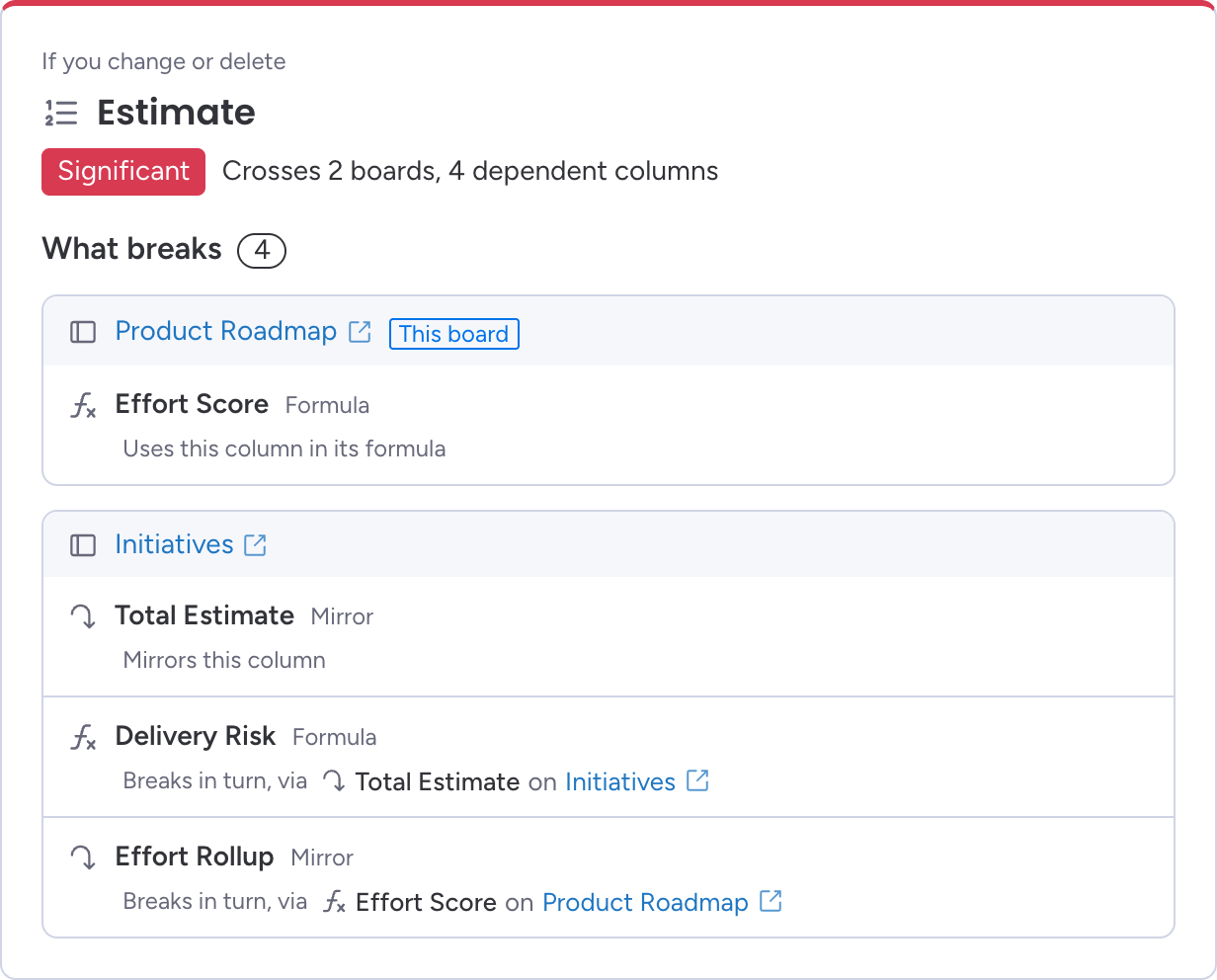
Every Mirror that reads this column through Connect Boards, on any board you can open, and the Connect Boards column it reads through.
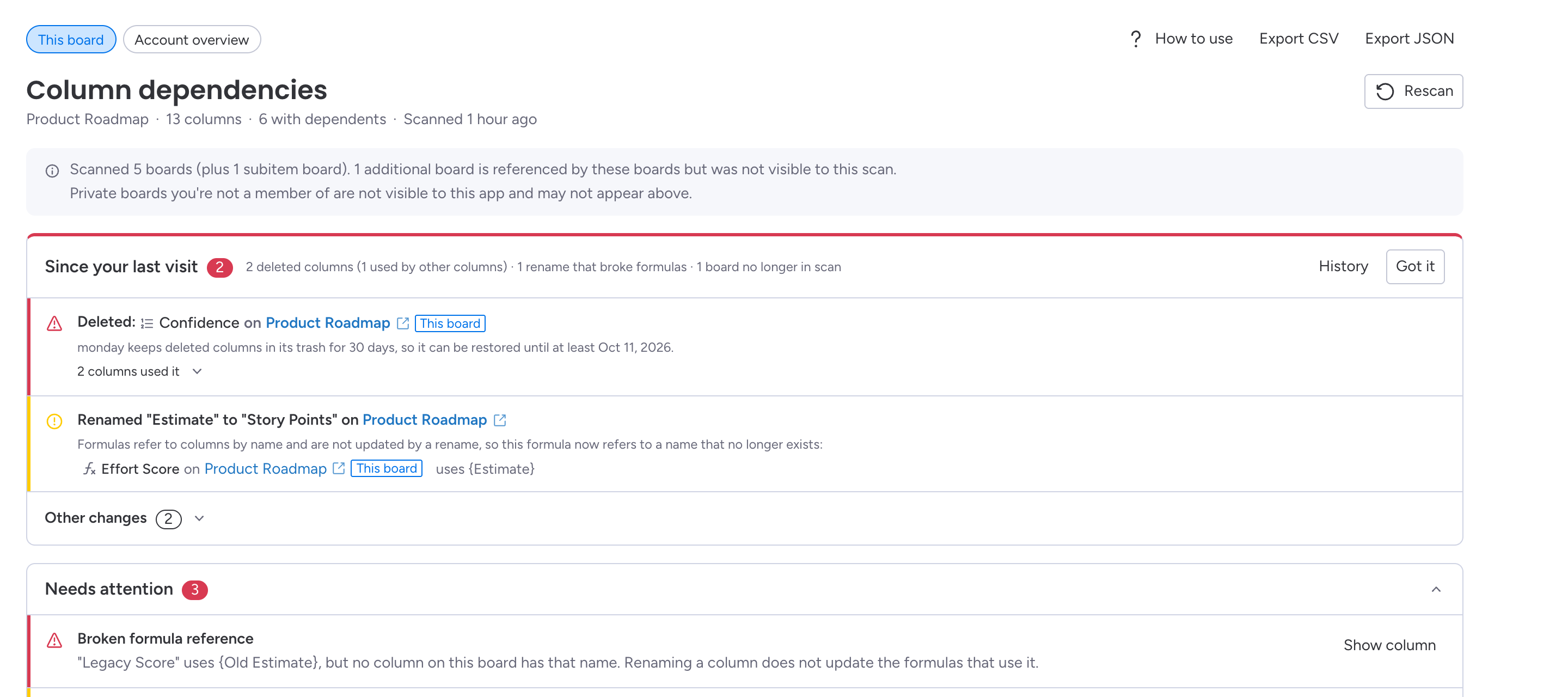
Formulas refer to columns by name, and a rename doesn't update them. WhereUsed finds the formulas that use a column, and the ones already pointing at a name that no longer exists.
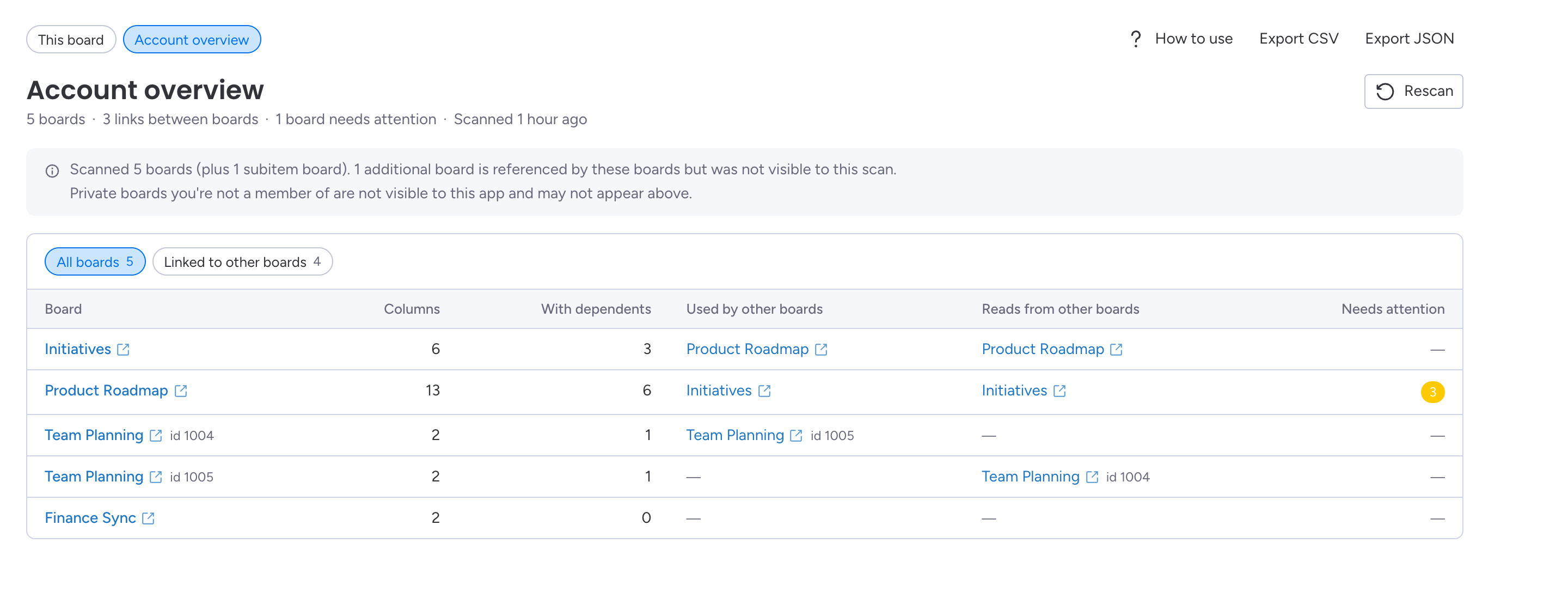
Which boards lean on which, across the whole account, so you can see the reach of a change before you make it.
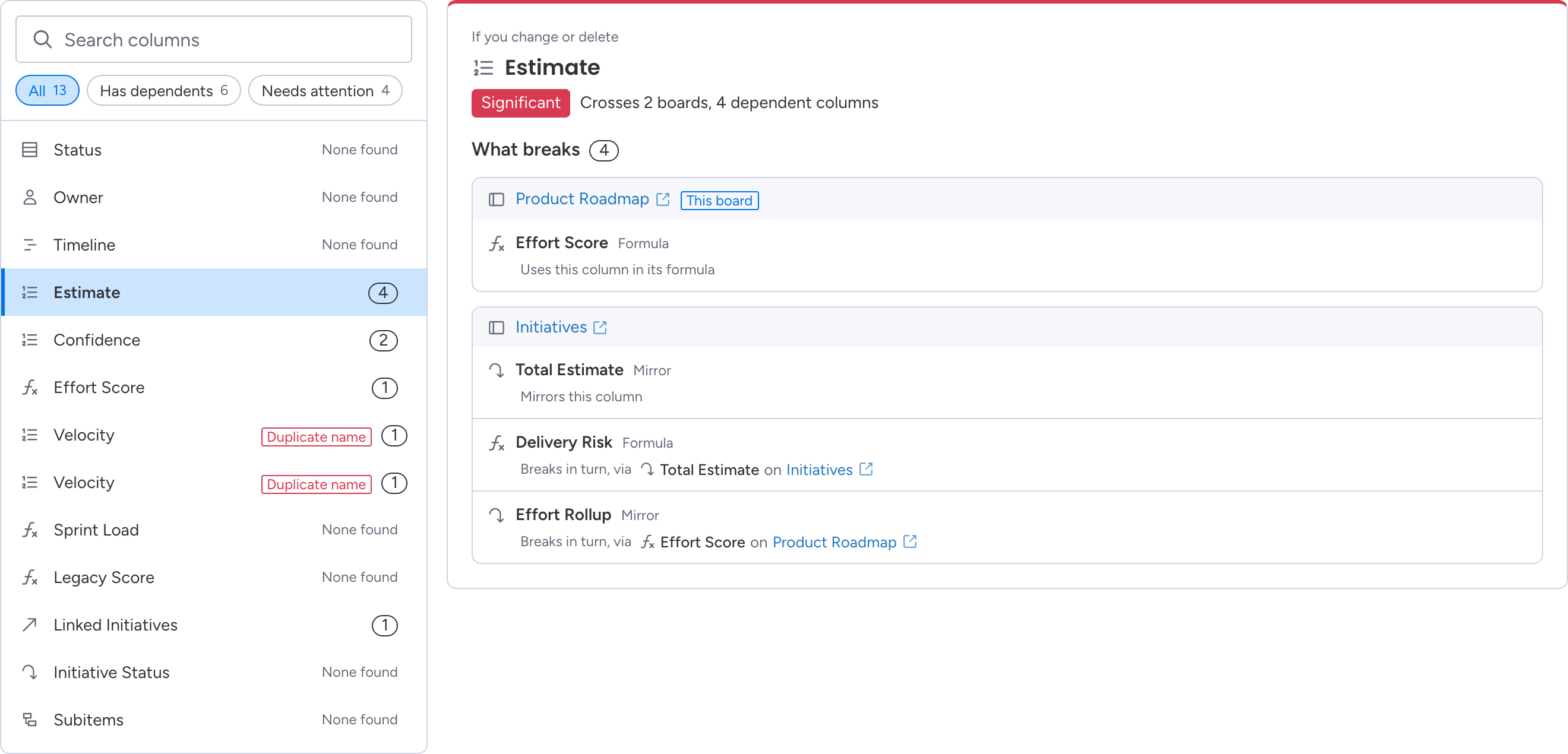
Pick a column and see the Mirror and Formula columns that depend on it, grouped by board, with a link to each one. Each impact level comes with the fact behind it, and boards that share a name are shown with their ids so you never mix them up.
Every board you can open, how many of its columns have dependents, which boards use it, which boards it reads from, and what needs attention.
A daily scan catches columns deleted or renamed since your last visit, shows what they broke, and says how long monday keeps a deleted column restorable. Thirty days of history come with it, plus CSV and JSON export.
WhereUsed never tells you a change is harmless. Every report states what the scan covered and reminds you that it only sees the boards you can open. "None found" means the scan found nothing, not that nothing exists.
14-day free trial
$1

No. It asks for one permission, read boards, which cannot write. It never creates, edits or deletes boards, columns or items.
Board and column structure: board names, column names, types and settings, including formula text and which boards a Connect Boards column links. It never reads items, their values, files, updates or people's details.
No. WhereUsed checks Mirror and Formula columns, and the Connect Boards links between boards. Automations, workflows, dashboards and forms can also use a column, and WhereUsed doesn't check them, so review those before you delete a column.
No. Each person connects with their own monday access, and their reports only cover the boards they can open. That is also why every report says it may not see everything.
WhereUsed stops showing reports and stops scanning until the account subscribes. Nothing in your monday account changes.
Scan results are stored on monday code, monday.com's own hosting for apps, currently in the EU. Uninstalling WhereUsed deletes them, and you can also ask us to delete them by email. The privacy policy lists everything kept and for how long.