 WhereUsed
How to use WhereUsed
WhereUsed shows the Mirror and Formula columns that depend on a column, and the Connect Boards links between boards, on any board you can open, before you rename or delete it. It doesn't check automations, workflows, dashboards or forms that use a column.
Before you start
- A monday.com account. Depending on your account's settings, installing an app may need an account admin.
- A WhereUsed free trial or subscription for the account. There is no free plan: after the 14-day trial, reports need a subscription.
- WhereUsed reports only on boards you can open. It asks for one permission, read boards, and never changes anything.
Install and add it to a board
- Install WhereUsed from the monday.com apps marketplace.
- Open any board, click + next to the board's views, choose Apps, then WhereUsed.
Connect, the first time
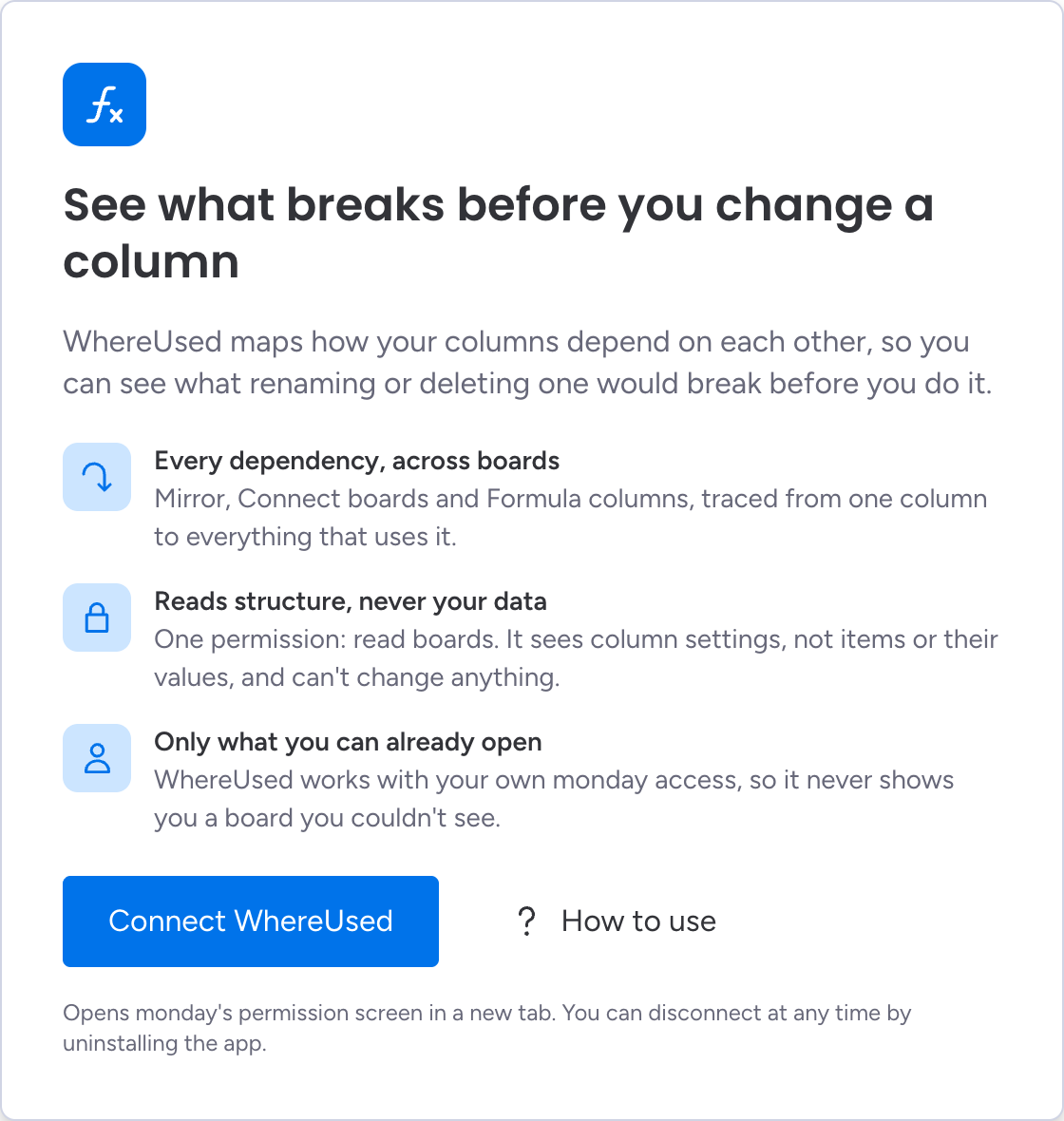
- Click Connect WhereUsed. monday's permission screen opens in a new tab.
- Approve the one permission it asks for: read boards. The tab closes and WhereUsed continues on its own.
Everyone connects for themselves, because a report is built only from what that person can open. A colleague's access is never used for your report.
The first scan
WhereUsed then scans every board you can open. A dependency can point at a column from any board, so a partial scan would miss some; this usually takes a few seconds.
After that, opening the view refreshes any scan older than about 15 minutes in the background while the last report stays on screen. Click Rescan at any time for a fresh one.
Read a board report
This board lists the board's columns and how many columns depend on each. Select a column to see:
- its impact level, Significant, Limited or None found, always shown with the fact behind it;
- every Mirror and Formula column that depends on it, grouped by board, with a link to each board;
- a Different board, same name label wherever two boards share a name, so they are never confused.
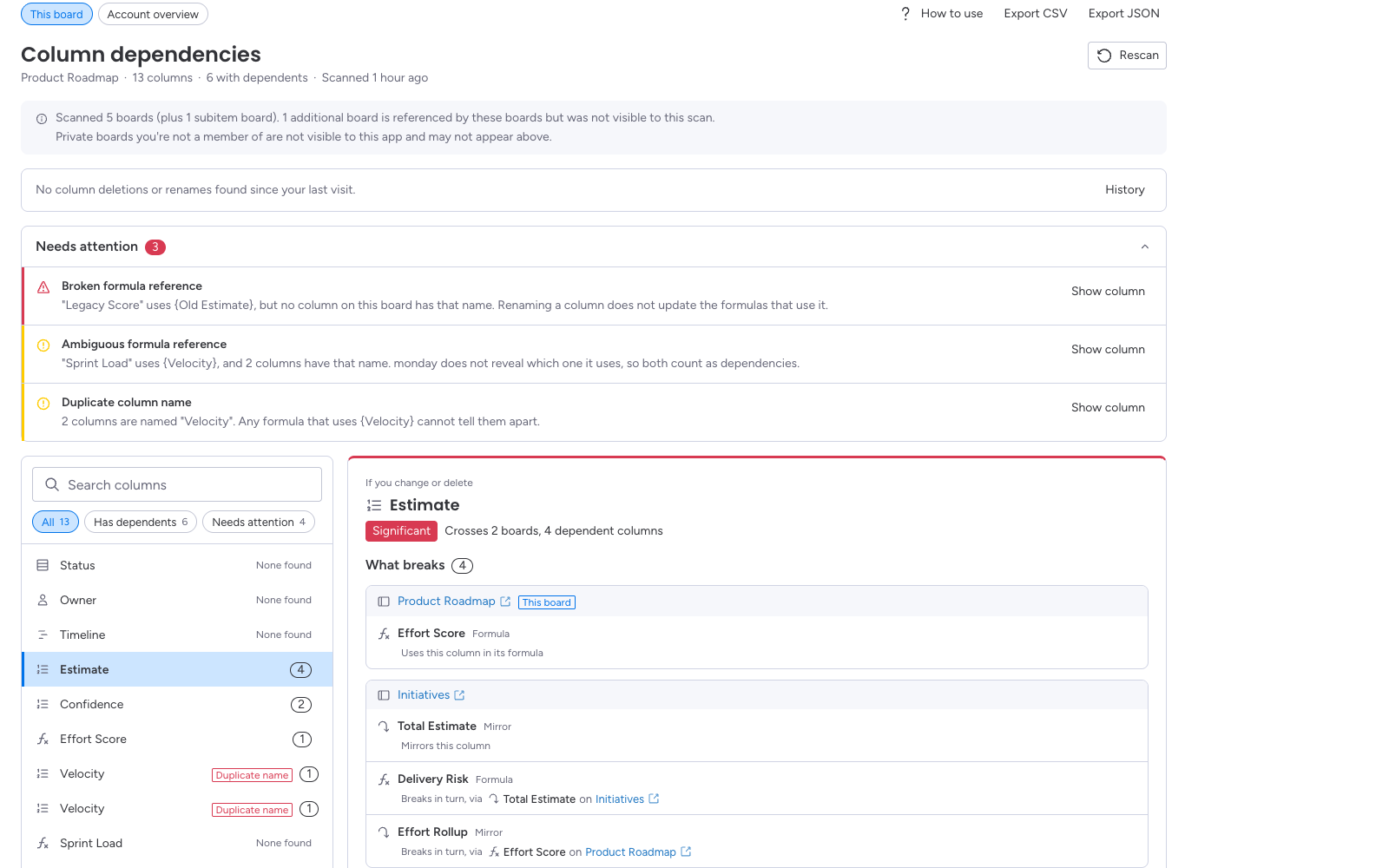
"None found" is not a promise. It means the scan found no Mirror or Formula column depending on the column. It cannot see boards you can't open, and every report says so. It also doesn't check automations, workflows, dashboards or forms, so review those before you delete a column.
The two notes under every report
- What the scan covered: how many boards were scanned, and any board that a connection refers to but the scan could not see.
- What you can see: WhereUsed sees only the boards you can open. Boards you can't open may also depend on a column.
Findings
WhereUsed also points out formulas that refer to a column it could not find, and columns that share a name on the same board, because a formula that uses that name is ambiguous.
See the whole account
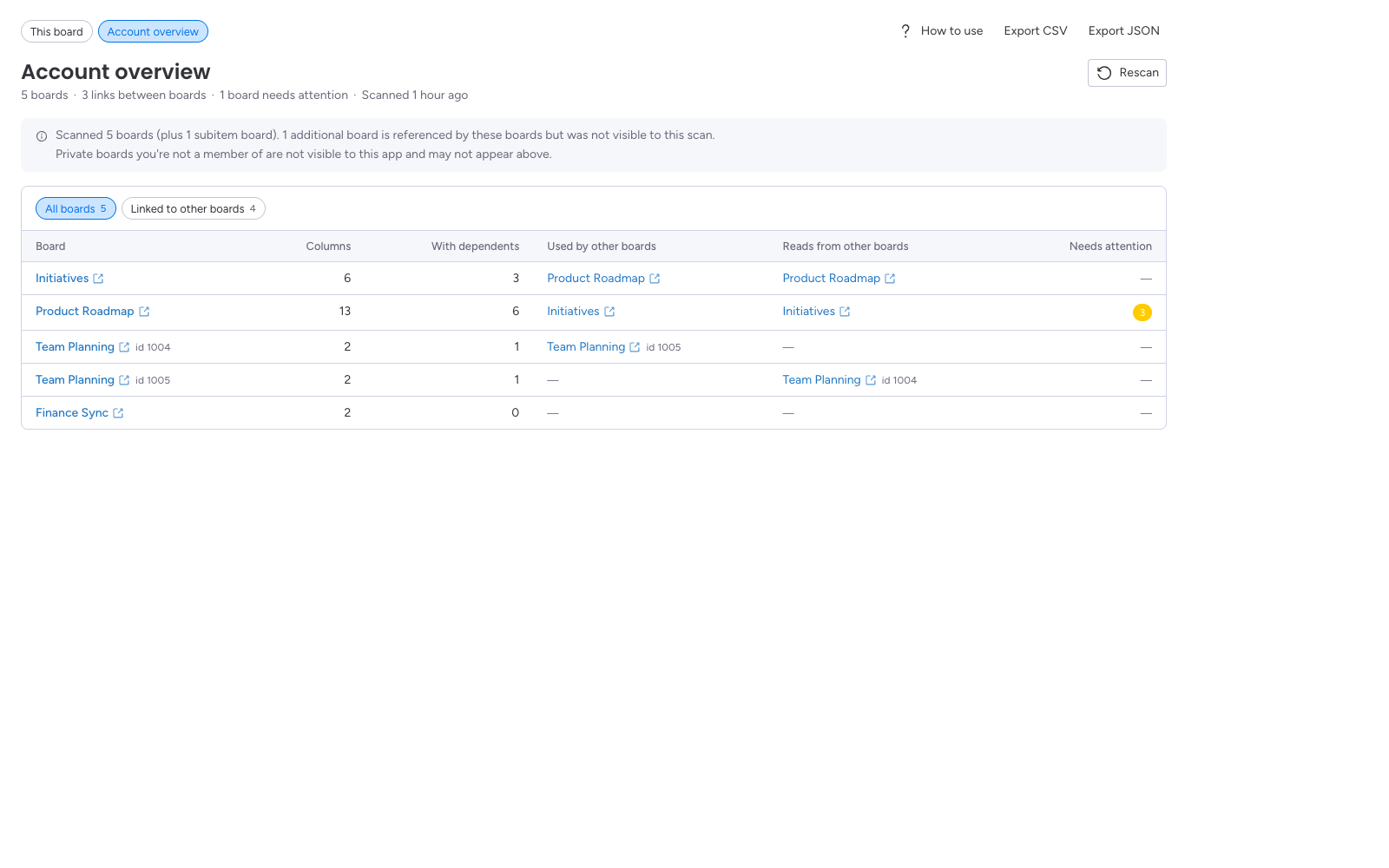
Switch to Account overview to see every board you can open: its columns, how many have dependents, which boards use it, which boards it reads from, and anything that needs attention. Linked to other boards narrows the list to boards connected to others.
Change alerts, history and export
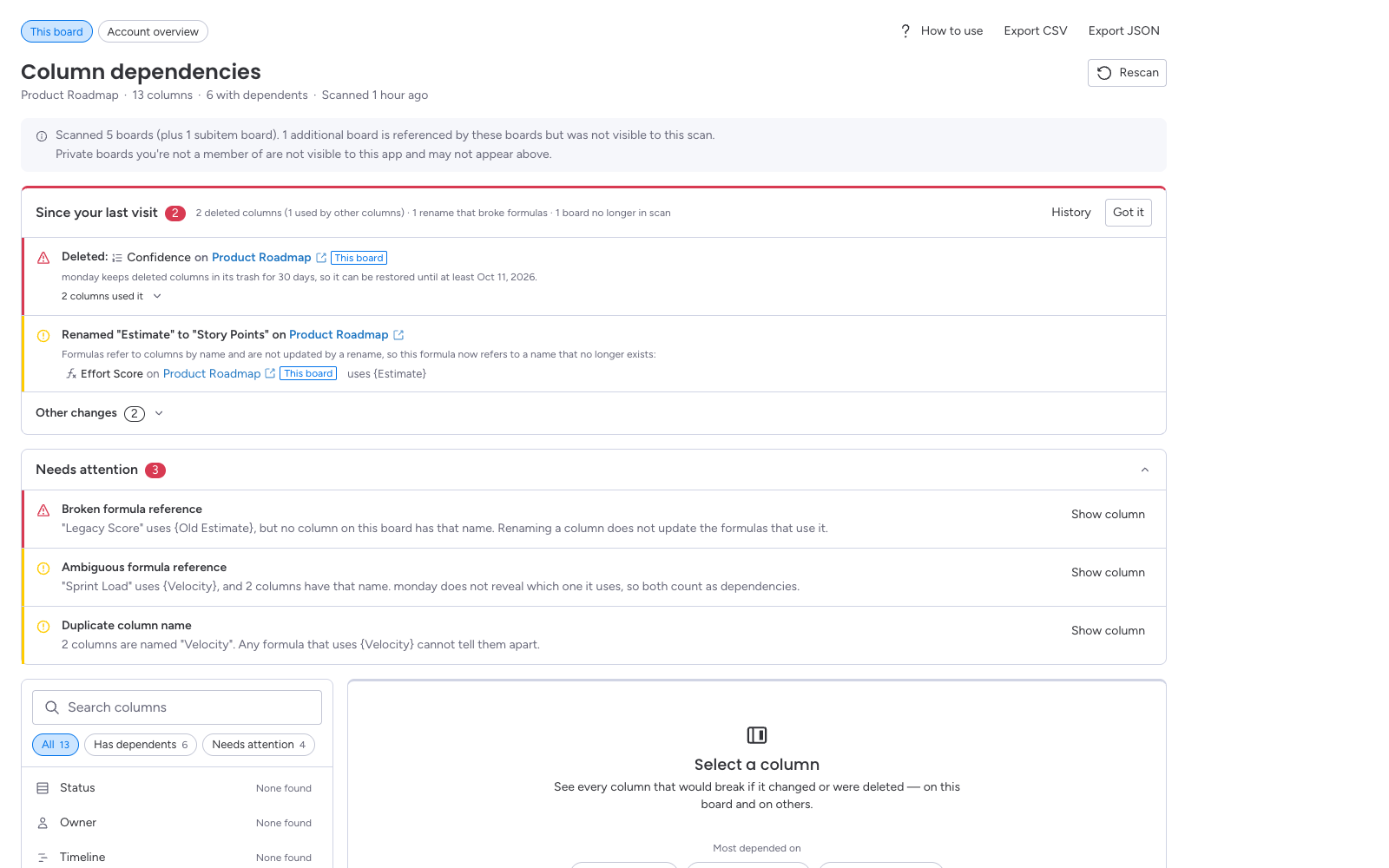
- Daily scan and change alerts. WhereUsed scans every day and shows columns deleted or renamed since your last visit: what they broke, and how long monday keeps a deleted column restorable. Click Got it once you've reviewed them.
- History. Changes from the last 30 days.
- Export. Download the dependencies the scan found as CSV or JSON. The two notes above lead the file.
Free trial and subscription
WhereUsed starts with a 14-day free trial that includes everything. During the trial, the toolbar shows how many days are left, with an Upgrade button. After the trial, WhereUsed costs $1 per seat per month, billed by monday.com.
Without a subscription, WhereUsed shows a subscribe screen instead of reports, and doesn't scan your boards. Click See plans there to subscribe. Subscribing may need an account admin.
Uninstalling
An account admin can uninstall WhereUsed from monday's installed apps page. When monday tells WhereUsed the app was uninstalled, everything WhereUsed stored for the account is deleted.
Need help?
Email support@whereused.app and describe what you were doing. Screenshots help, but never send board content you'd rather keep private.